
TAOS: How to delete Account
This document explains how a user can delete their account and all associated data from the TAOS app, as required by the Google Play account deletion policy.
Guest mode (no account)
If the user uses the app in guest mode, no account is ever created and no personal data is sent to our servers — all data stays only on the device. There is nothing to delete server-side. Guest data can be removed at any time by clearing it in the app or uninstalling the app.
Registered account — step-by-step
A registered user can permanently delete their account and all associated data directly inside the app:
-
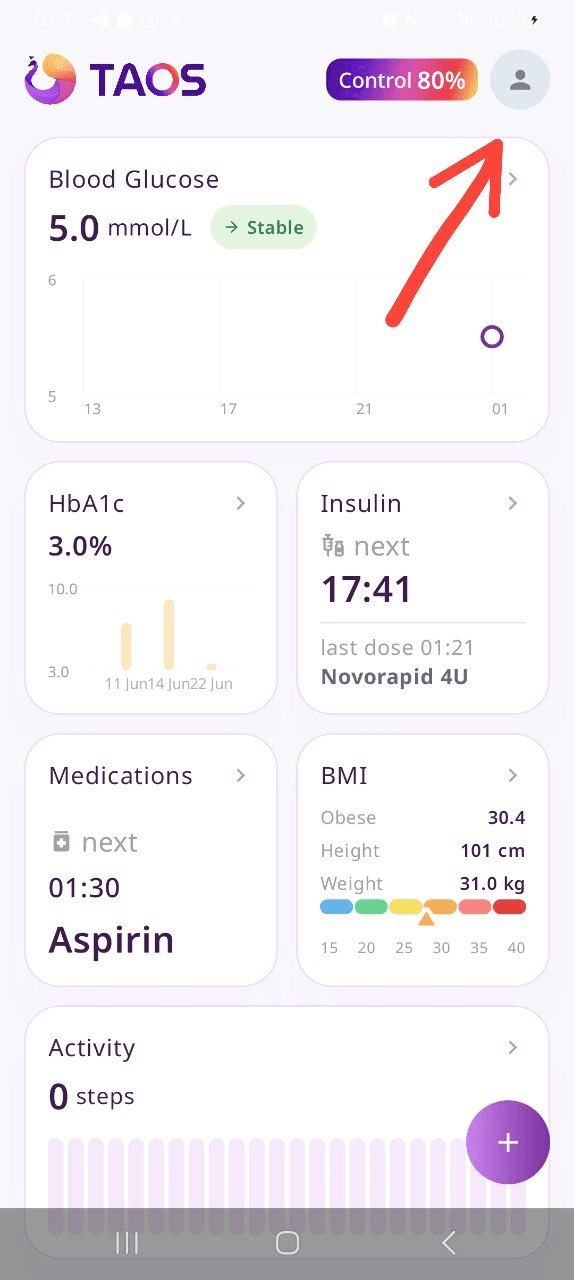
Tap the user icon in the top-right corner
-
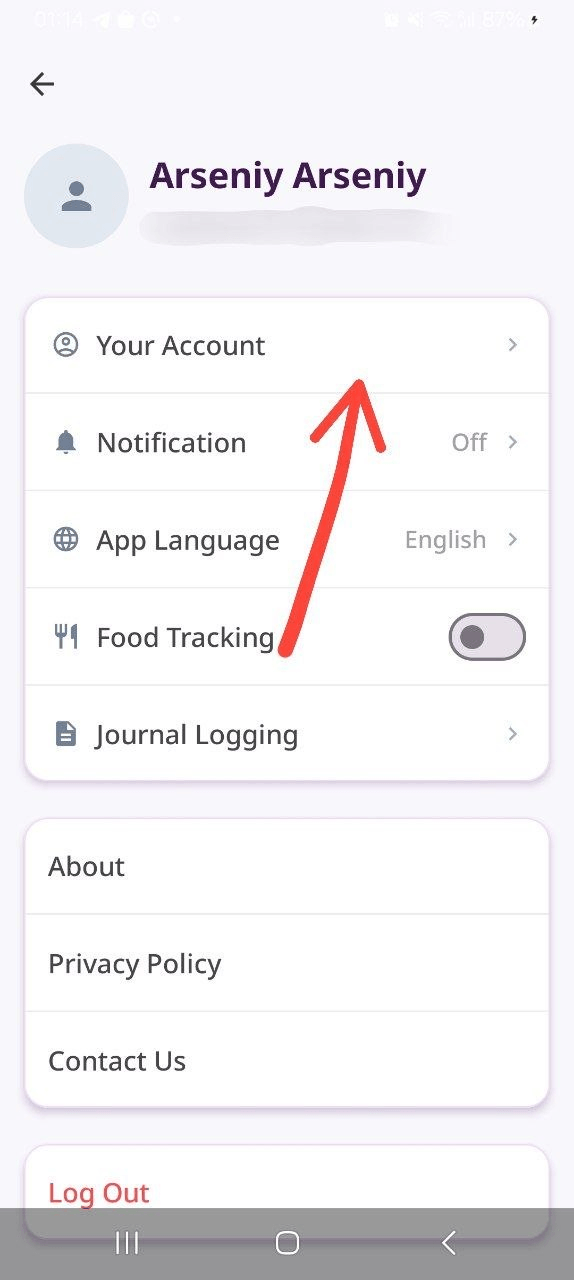
Tap “Your Account”
-
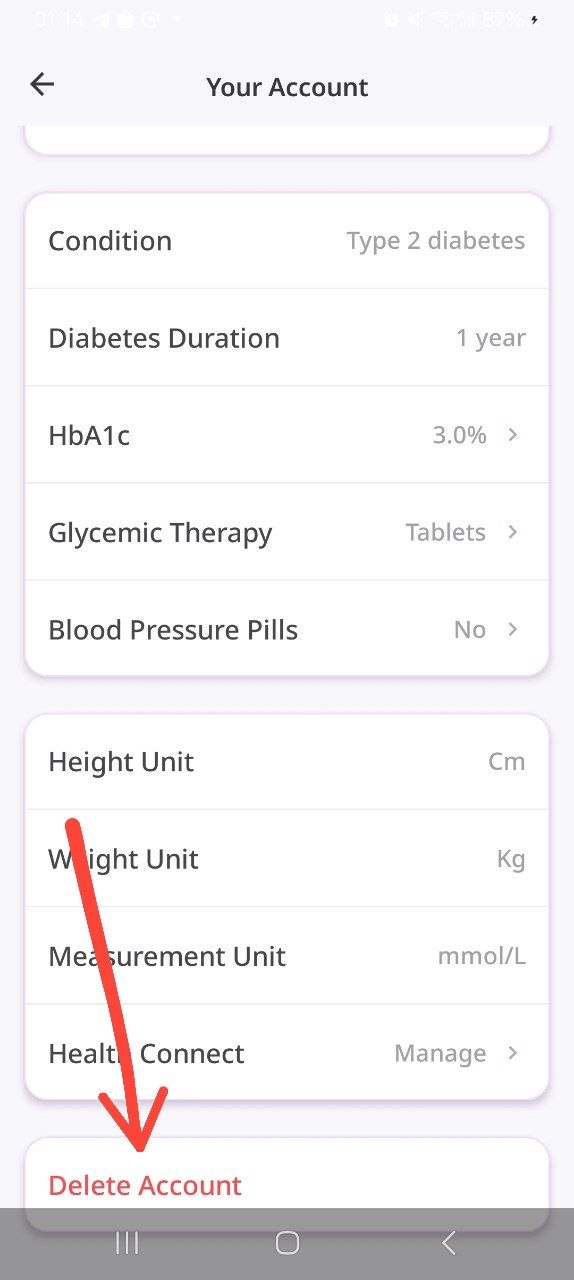
Scroll to the bottom and tap “Delete Account”
-
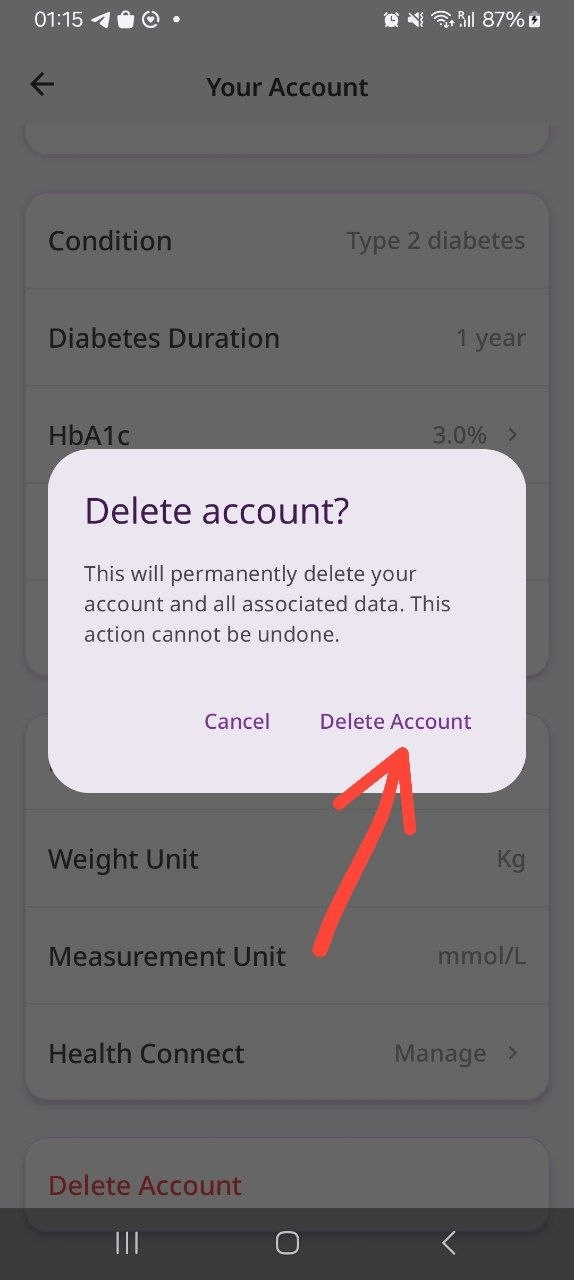
Confirm in the dialog
Result
Once confirmed, the account is deleted and all of the user’s data is removed from our servers immediately. This action is permanent and cannot be undone.